

Clinical Trial Software: An Executive Decision Guide to Capabilities, Architecture, and Fit
Use category-to-evidence cards to compare capabilities
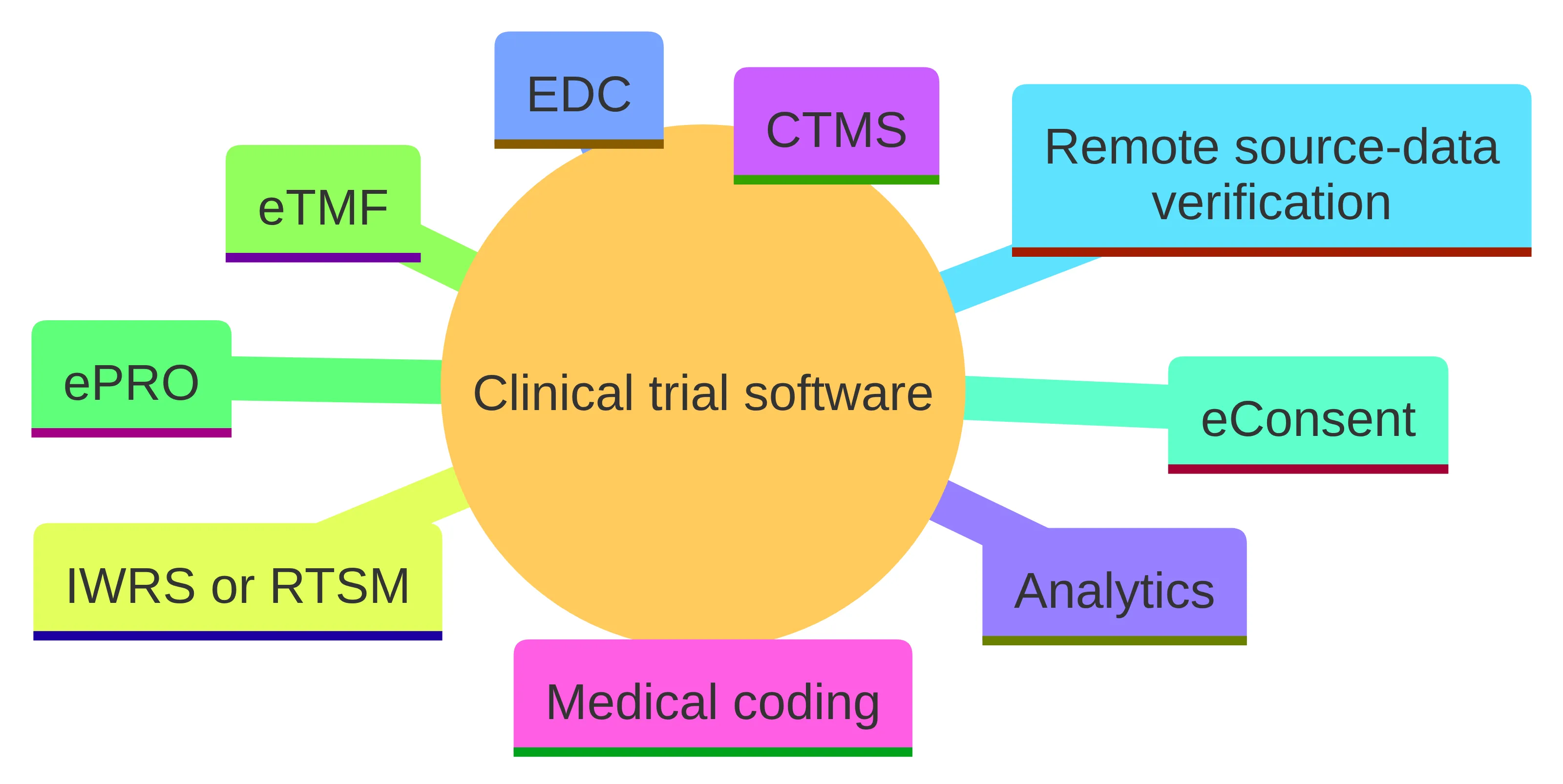
Clinical trial software is a collection of digital systems and capabilities that support different parts of study design, conduct, data management, documentation, participant interaction, and operational oversight. It is not one uniform product category. A study may use a CTMS for operational oversight, EDC for clinical data, IWRS or RTSM for randomization and trial-supply management, eTMF for essential documents, ePRO for patient-reported outcomes, eConsent for informed consent, remote source-data verification, and analytics for study-level insights.
Use the category-to-evidence card as a comparison instrument rather than as a vendor brief. For each category under consideration, record the trial function it covers, the capabilities required, the evidence that would demonstrate fit, and the unresolved question that still needs an answer. A CTMS, EDC, IWRS or RTSM, eTMF, ePRO, eConsent, remote source-data verification tool, or analytics capability can then be compared by intended role rather than by a shared feature list.
Keep four parts distinct on each card: intended function, required capability, evidence to request, and decision status. Evidence may address workflow fit, connections with existing systems, data integrity and traceability, usability, scalability, and fit for intended use. This makes missing evidence visible without assuming that a specialized tool, an integrated platform, or an AI-enabled workflow is appropriate in every case.
Use the same card for one category or a combination of categories. The output is a bounded set of capabilities and open evidence questions, not a vendor ranking.
A concise starting brief can contain five lines:
- The decision the software must support.
- The workflow that produces the information for that decision.
- The roles that create, review, and act on the information.
- The systems and records that must connect to the workflow.
- The evidence required before your organization accepts the proposed fit.
That brief becomes the reference point for the rest of the evaluation. It keeps a broad clinical trial software search tied to an accountable operating need rather than a feature list.
Map each clinical trial software category to its function
Begin each card with the function the software must support. Providers may classify overlapping capabilities differently, so record the function and primary information boundary before comparing product names.
| Category | Function to map on the card |
|---|---|
| CTMS | Operational oversight for study activity and coordination |
| EDC | Electronic capture of clinical data |
| IWRS or RTSM | Randomization and trial-supply management |
| eTMF | Management of essential trial documents |
| ePRO | Collection of patient-reported outcomes |
| eConsent | Electronic informed-consent workflows |
| Remote source-data verification | Review of source data within a monitoring activity |
| Analytics | Study-level views and insights |
| Medical coding | Structured handling of clinical terminology and related data-management work |
These categories may be separate applications, connected modules, or capabilities within a broader platform. The category supplies the starting field; the rest of the card records whether its arrangement fits the defined study work.
Each category has a different primary object. CTMS concerns operational activity, EDC concerns clinical data capture, IWRS or RTSM concerns allocation and supply, and eTMF concerns essential documents. ePRO and eConsent involve participant-facing processes, while remote source-data verification concerns a monitoring activity. Analytics brings study-level information into a view that supports oversight.
Those boundaries are useful because they show where responsibility may change hands. A CTMS record should not automatically be treated as the authoritative clinical data record, and an analytics view should not automatically be treated as the underlying source. Your evaluation should identify which system owns each important record and which system only displays, transforms, or uses it.
Use the categories as a working map rather than a rigid taxonomy. For example, a single workflow may involve a CTMS for operational status, an eTMF for supporting documents, an EDC for clinical data, and analytics for an executive view. The relevant question is not whether one product contains every named capability. The relevant question is whether the arrangement gives each team a clear workflow, dependable information boundaries, and an accountable owner for the resulting decision.
Complete the card across the trial workflow
Create a card for each material workflow rather than assigning one product to the entire lifecycle. Populate the category and work fields from the following map:
- Clinical development and protocol work: record the protocol decision, required information, and review responsibility; assess the workflow that supports protocol authoring and controlled information movement.
- Study startup and operational oversight: map CTMS activity and eTMF essential documents, including the handoff between operational status and supporting records.
- Site management: map the operational category, site-related documents, milestones, and accountable roles.
- Data management: map EDC clinical-data capture, medical coding, and analytics used for study-level interpretation.
- Participant-facing processes: map eConsent and ePRO, including the role that reviews the resulting information and its retained location.
- Monitoring: map remote source-data verification when it is part of the operating model, with its source and review boundary.
- Supply and allocation: map IWRS or RTSM when randomization or trial-supply management is required.
- Executive oversight: map analytics to the operational records behind the view rather than evaluating the dashboard separately.
The result is a set of category-and-workflow pairings. Each pairing supplies a concrete subject for the architecture, control, connection, and evidence fields that follow.
The translation step is where an executive category list becomes an evaluation plan. For every capability, write three statements:
- The work to be performed.
- The information required to perform it.
- The decision or action that follows.
For example, a study team may need operational status, supporting documents, and clinical data to understand whether a startup activity is ready for the next decision. That description is more useful than saying the organization needs a CTMS, an eTMF, and an analytics product. It tells you which connections to test and which team owns the outcome.
The protocol remains a useful anchor for this mapping. ICH E6(R3) says a clinical-trial protocol should be clear, concise, scientifically sound, and operationally feasible. Use the protocol’s clarity and operational-feasibility criteria when assessing the proposed workflow. If you cannot determine whether the workflow supports the protocol without unnecessary complexity, keep the category under investigation rather than moving to implementation planning.
Compare architectures by ownership and handoffs
Architecture is a comparison field on each category-to-evidence card. For a specialized point solution, ask whether the focused application fits the defined workflow and record boundary, and whether the surrounding connections have clear owners. For an integrated platform, ask whether the connected environment supports the related workflows without exceeding the study’s information controls or accountable roles. For an AI-enabled workflow, ask whether the assistance has defined inputs, a review point, an output owner, and a retained record.
The choice between isolated solutions and integrated platforms can affect clinical-team efficiency, collaboration, and user experience. Record that trade-off on the card instead of treating any arrangement as a general conclusion.
| Architecture option | Primary evaluation question | Main condition to test | Appropriate next action |
|---|---|---|---|
| Specialized point solutions | Does a focused application fit a defined workflow and record boundary? | Can your teams govern the connections, ownership changes, and user experience across the surrounding systems? | Choose this route for investigation when the requirement is narrow and the integration responsibilities are explicit. |
| Integrated platform | Does a connected environment support the related workflows your organization must coordinate? | Does the broader scope still match your study needs, information controls, and accountable roles? | Investigate the platform against representative cross-functional workflows rather than its feature catalogue. |
| AI-enabled workflow | Does the AI capability assist a defined activity without obscuring the system or person accountable for the result? | Can it connect with existing systems, remain usable, support applicable compliance needs, and operate within a reviewable workflow? | Test the AI in a bounded workflow with defined inputs, review points, and output ownership. |
Your constraints should be explicit before you compare the options. Record the number and variety of studies, the geographic spread, the teams that must use the workflow, the systems already in place, the information that must remain controlled, and the consequences of an incorrect or unavailable record. These conditions shape the architecture decision more directly than a general preference for consolidation or specialization.
Avoid treating integration as a slogan. Ask which records move between systems, who owns the record at each stage, how a change is communicated, and how the team works when a connection or workflow is unavailable. A narrow tool may be appropriate when its boundary is clear. A broader platform may be appropriate when coordinated work is the priority. Either option must be tested against your operating constraints.
Set evidence gates for intended use and records
Information control is the second test. Turn those principles into questions:
- Which system is authoritative for each record?
- How can you trace a material change from its origin to its use?
- How is personal information protected within the workflow?
- How are records retained and retrieved for the required period?
- Can the organization reconstruct the relevant conduct and decisions from the available records?
These questions apply to the architecture, the workflow, and the operating responsibilities around the software. A product response alone is not enough if the surrounding process leaves ownership unclear.
Risk proportionality should shape the depth of the test. ICH E6(R3) Annex 2 says a proportionate risk-based approach can support evolving trial designs and technologies without compromising participant rights, safety, well-being, or the reliability of trial results. Use the consequence of the workflow to determine the review, documentation, and control expectations for that workflow.
The practical boundary is clear: do not treat fit-for-purpose language as a substitute for defining the intended use, the information required, the risks that matter, and the responsibilities that remain with your organization.
Test the card across system connections
The connection field on the card follows one representative workflow from originating work to accountable decision. It records the operating relationship, not only the technical interface:
- originating team and record;
- receiving system and role;
- transformation, review, or interpretation;
- owner after the handoff;
- decision that depends on the information; and
- condition requiring escalation or manual handling.
This field makes interoperability testable. It distinguishes a connection that supports the defined workflow from one that exchanges data without preserving the context needed for the decision.
Assess how each candidate integrates with existing clinical study management systems, electronic information capture systems, and other pertinent platforms. Also assess user experience, support, and training because usability can affect adoption among clinical staff.
Use those criteria for any candidate. Ask your team to perform the representative workflow, not just observe a presentation. Record where terminology, navigation, permissions, review steps, and training requirements create friction. Then determine whether the friction is a product issue, an operating-model issue, or a responsibility that your organization must address outside the software.
The final connection is between information and accountability. A dashboard, workflow notification, or generated answer may inform a decision, but your operating model still needs a named role responsible for reviewing the information and acting on it. Write that role into the workflow map.
This approach keeps the evaluation grounded in the work people must perform. It also prevents a connected architecture from being mistaken for a complete operating model. Connections are useful only when the right information reaches the right role with a clear responsibility for the next action.
Place AI evidence inside the same card
AI occupies a specific card type: assistance around a defined activity, with the existing records and responsibilities still visible. Before assessing an AI feature, record its system role, input sources, review point, output owner, and retained record.
For an AI card, assess compatibility with existing systems, ease of use, regulatory compliance, data-analysis capability, patient engagement, and real-time monitoring. Keep these as separate evidence fields. Implementation guidance should address the workflow-specific questions rather than rely on a general statement about AI capability.
A bounded AI workflow can be tested in six steps:
- Define the clinical or operational question the workflow addresses.
- Identify the records and information sources the workflow may use.
- Specify the output and the role responsible for reviewing it.
- Determine where the reviewed result is recorded and how its provenance remains traceable.
- Test compatibility with the systems already used for the workflow.
- Set the conditions under which the output must be rejected, corrected, or escalated.
The record and accountability requirements matter as much as the generated output. ICH E6(R3) calls for data integrity, traceability, protection of personal information, and secure retention of clinical-trial records. Those requirements give you a practical boundary for deciding where AI assistance can sit in the workflow.
Your AI evaluation should answer concrete questions: Which existing systems can the tool connect to? How will study personnel use it in the intended workflow? What regulatory and governance conditions apply to that use? Which data-analysis tasks are in scope? Does the workflow involve patient engagement or real-time monitoring? What training and support do the participating teams need?
A fluent demonstration does not answer those questions. Ask for a workflow-specific evaluation with representative information, defined review responsibilities, and an explicit boundary around the system of record.
Use evidence requests to close each card
The evidence field closes each category-to-evidence card. Use one response structure across vendors or internal technology options without forcing every solution into the same product model. A digital-health vendor assessment can provide a common framework for evaluating technologies that support clinical research programs, while standardized materials can help identify risks and mitigations and reduce burden from inconsistent onboarding formats.
The response should connect the defined workflow to its demonstration, system connections, security and record controls, validation evidence where relevant, scalability across the study portfolio, implementation responsibilities, user responsibilities, study conditions, and decision owner. Differences then appear as conditions on a specific card rather than as general impressions about a product.
Request evidence in the following order:
- Workflow fit: Ask the provider to demonstrate the representative workflow from starting record to accountable decision. Require the response to identify the roles, review steps, and intended output.
- Interoperability: Ask which existing clinical study management systems, electronic information capture systems, and other relevant platforms can connect to the proposed workflow. Ask what each connection is expected to exchange and who owns the resulting record.
- Information governance: Ask how the workflow addresses data integrity, traceability, protection of personal information, secure retention, and retrieval of records for reconstruction.
- Security and validation: Ask which controls protect personal information and retained records, and what validation evidence is available for computerized systems in scope. Ask how those controls and evidence relate to the proposed workflow.
- Scalability: Ask the provider to demonstrate how the workflow can be applied across the organization’s study portfolio, including variation in study scope, complexity, geographic spread, and clinical-supply constraints where relevant.
- Implementation responsibilities: Ask for a responsibility map covering implementation tasks, system dependencies, training, support, and handoffs between the provider and the organization.
- Usability and adoption: Ask participating users to perform the workflow, then request the proposed training and support model. Evaluate whether the people who must use the workflow can do so consistently.
- Study conditions: For an IRT requirement, assess functionality, usability, support, timelines, compliance, study scope and complexity, geographic spread, supply constraints, and the provider’s technical and operational capabilities.
- AI controls: Ask how the AI tool handles compatibility, ease of use, applicable compliance requirements, data-analysis capability, patient engagement, and real-time monitoring where those functions are in scope.
- Accountability: Ask which role reviews the output, which system retains the authoritative record, and what happens when the workflow cannot produce an acceptable result.
Record the answer to each request as a condition, not only as a score. A condition states what must be true for the option to proceed, who will confirm it, and what remains unresolved. For example, you might require a documented connection to an existing system, a defined owner for a retained record, a successful role-based workflow test, or a clear training responsibility.
Separate evidence from interpretation. Keep the provider’s response, your test result, the unresolved question, and the decision consequence in distinct fields. That structure helps your executive team revisit the decision when the study design, operating model, or technology environment changes.
Position InnovoCommerce within the broader landscape
InnovoClinical’s solutions fit within the clinical trial software landscape as examples of AI-supported and connected workflows rather than as a universal replacement for every category. Our Innovo Copilot and StudyCloud solutions are designed to support study personnel by enhancing study design, creating protocols with AI support, and connecting with eClinical systems for finalized workflows.
That positioning gives you a specific set of questions to test against your own operating model: Which study-design activities are in scope? Which protocol-authoring responsibilities remain with your team? Which eClinical systems must connect? Where is the finalized workflow recorded? Which roles review and approve the resulting work?
Our Innovo Copilot assists with AI-supported protocol authoring, bulk generation of study startup packages, and on-demand answers for study staff about training and documents. These capabilities should be evaluated against the workflow map developed earlier, including the source records, review points, information boundaries, and accountable roles for each use.
The relevant evaluation is therefore not whether an AI assistant sounds capable in isolation. It is whether the proposed use fits the work your study teams perform, connects to the systems they already use, and preserves the governance conditions required for the resulting information.
Our solutions integrate with existing clinical study management systems, electronic information capture systems, and other pertinent platforms. Our platform also provides cross-functional visibility and insights into progress throughout the clinical-trial lifecycle.
Assess those statements through your own evidence request. Trace one cross-functional workflow, identify the systems and teams involved, and determine how the resulting visibility supports a defined decision. The same fit, interoperability, governance, usability, scalability, and accountability questions should apply here as they do to other options under consideration.
InnovoClinical is one option within a wider architecture decision. You should compare its proposed role with the categories and operating constraints already defined: CTMS, EDC, IWRS or RTSM, eTMF, ePRO, eConsent, remote source-data verification, analytics, and any other capability your study requires. Keep the decision anchored to the workflow, evidence request, and accountability boundary rather than to a general preference for AI or platform consolidation.
Make a bounded next-step decision
A bounded clinical trial software decision names the work to support, the category or combination of capabilities involved, the architecture under consideration, and the evidence required before the next stage. It also records the authoritative systems, information controls, user responsibilities, review points, and unresolved risks.
Use that record to choose one of three practical outcomes: proceed to a focused evaluation, return to the operating requirement and narrow the scope, or pause while a material governance or integration question is resolved. A qualified professional should determine your organization’s individual regulatory, legal, medical, and procurement suitability.
Before moving forward, preserve the workflow map and evidence requests that shaped the decision. They give your team a concrete basis for comparing options and for explaining why a capability belongs in the next evaluation step.
Record the capability you want to examine, the systems it must connect to, the roles that remain accountable, and the evidence required for your organization to continue.
What should an executive team verify before requesting a follow-up?
What are the main categories of clinical trial software?
Clinical trial software is categorized into several types based on their functions, including Clinical Trial Management Systems (CTMS) for operational oversight, Electronic Data Capture (EDC) for clinical data, Interactive Web Response Systems (IWRS) or Randomization and Trial Supply Management (RTSM) for randomization and supply management, electronic Trial Master Files (eTMF) for document management, electronic Patient-Reported Outcomes (ePRO) for patient feedback, and eConsent for informed consent processes.
How can I assess the fit of clinical trial software for my organization?
To assess the fit of clinical trial software, start by defining the specific operational needs and decisions the software must support. Evaluate how well the software integrates with existing systems, its usability for clinical staff, and its compliance with regulatory requirements. Additionally, consider the software's ability to manage data integrity, traceability, and personal information protection.
What are the key evaluation criteria for clinical trial software vendors?
Key evaluation criteria for clinical trial software vendors include workflow fit, interoperability with existing systems, data governance and security measures, scalability, usability, and the level of support and training provided. It's also essential to assess how well the software meets regulatory compliance requirements.
How does InnovoClinical's software fit into the clinical trial software landscape?
InnovoClinical's software, including Innovo Copilot and StudyCloud, is designed to enhance study design and operational efficiency by integrating with existing clinical systems.
What are the best practices for implementing clinical trial software?
Best practices for implementing clinical trial software include defining clear operational requirements, ensuring user training and support, testing the software in real-world scenarios, and establishing robust data governance and security protocols. It's also important to maintain clear communication among all stakeholders throughout the implementation process.